

Webhook Setup
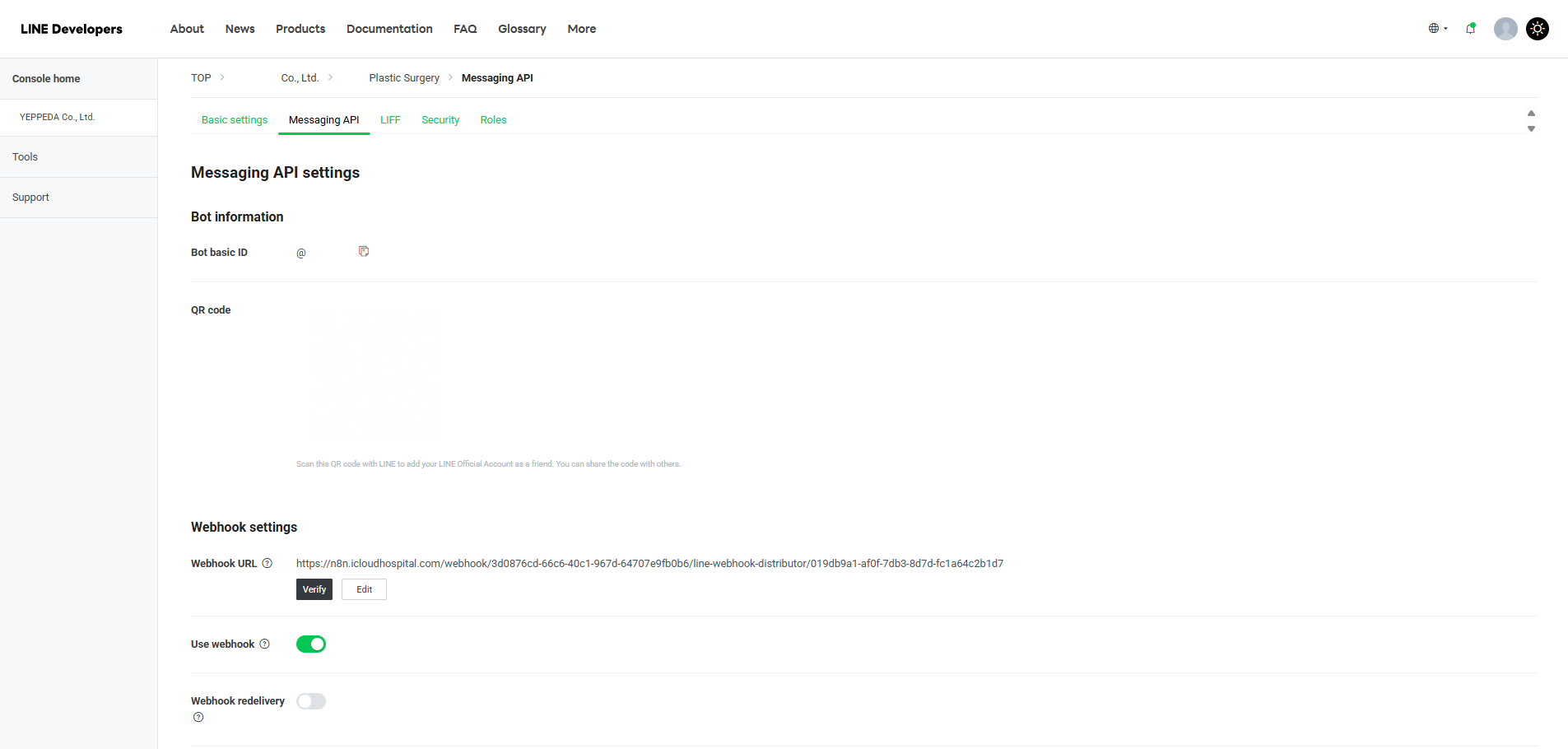
Enable Webhook on LINE Developers [View Guide]
Section titled “Enable Webhook on LINE Developers [View Guide]”- Go to https://developers.line.biz/console/
- Select your Provider → click your channel
- Go to Messaging API tab
- Scroll down to Webhook settings
- Click [Edit] → paste the Webhook URL → click [Update]
- Click [Verify] to confirm
- Toggle Use webhook to On
Enable Webhook on LINE Developers [View Guide]
Section titled “Enable Webhook on LINE Developers [View Guide]”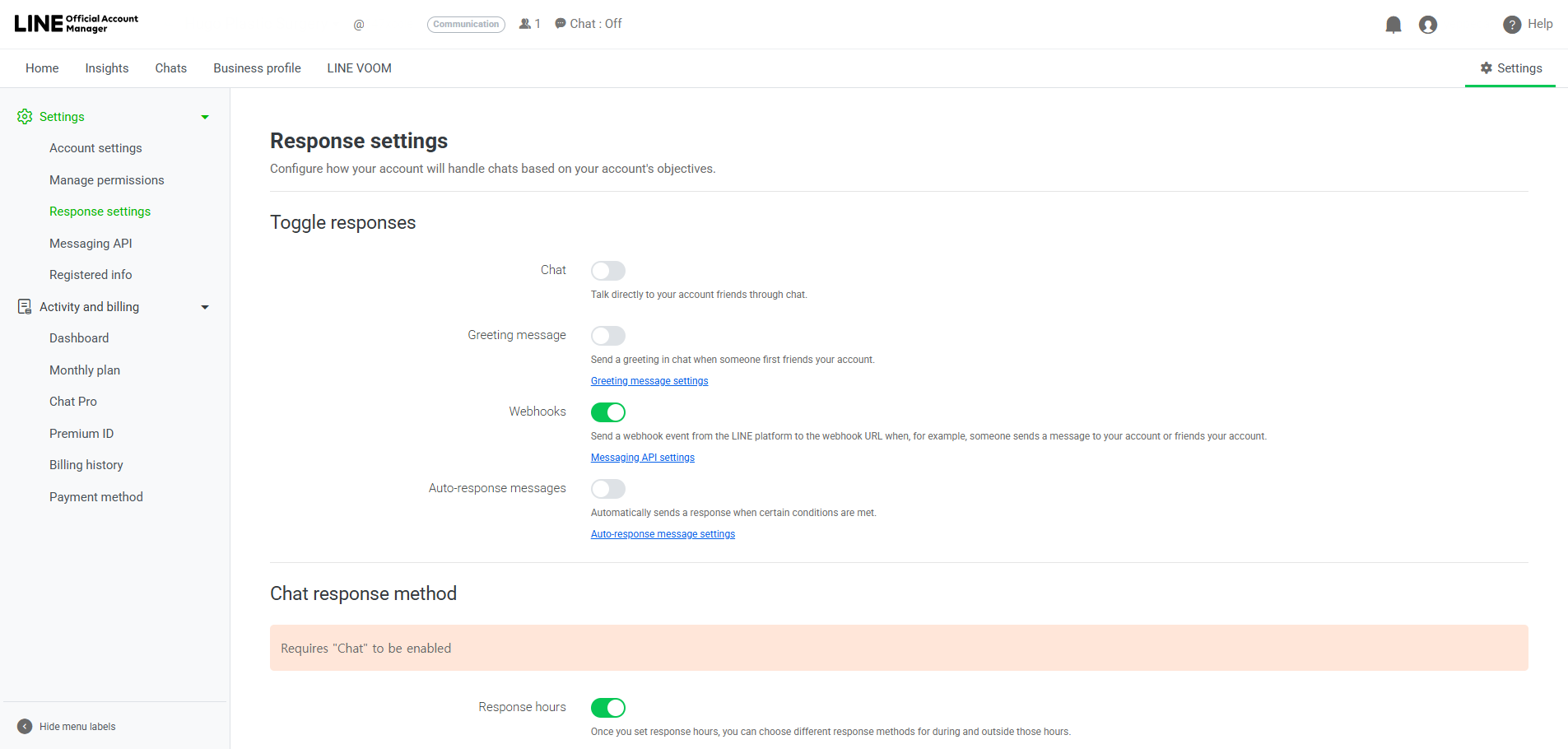
Enable Webhook on OA response settings:
Section titled “Enable Webhook on OA response settings:”- Go to https://manager.line.biz
- Select your account → click Settings in the top right
- Click Response settings in the left menu
- Under Toggle responses, set the following:
- Chat: Off
- Greeting message: Off
- Webhooks: On
- Auto-response messages: Off