

Choose Connection Method
Start Connection
Section titled “Start Connection”- Go to Channels → Integration → WhatsApp
- Click Connect button
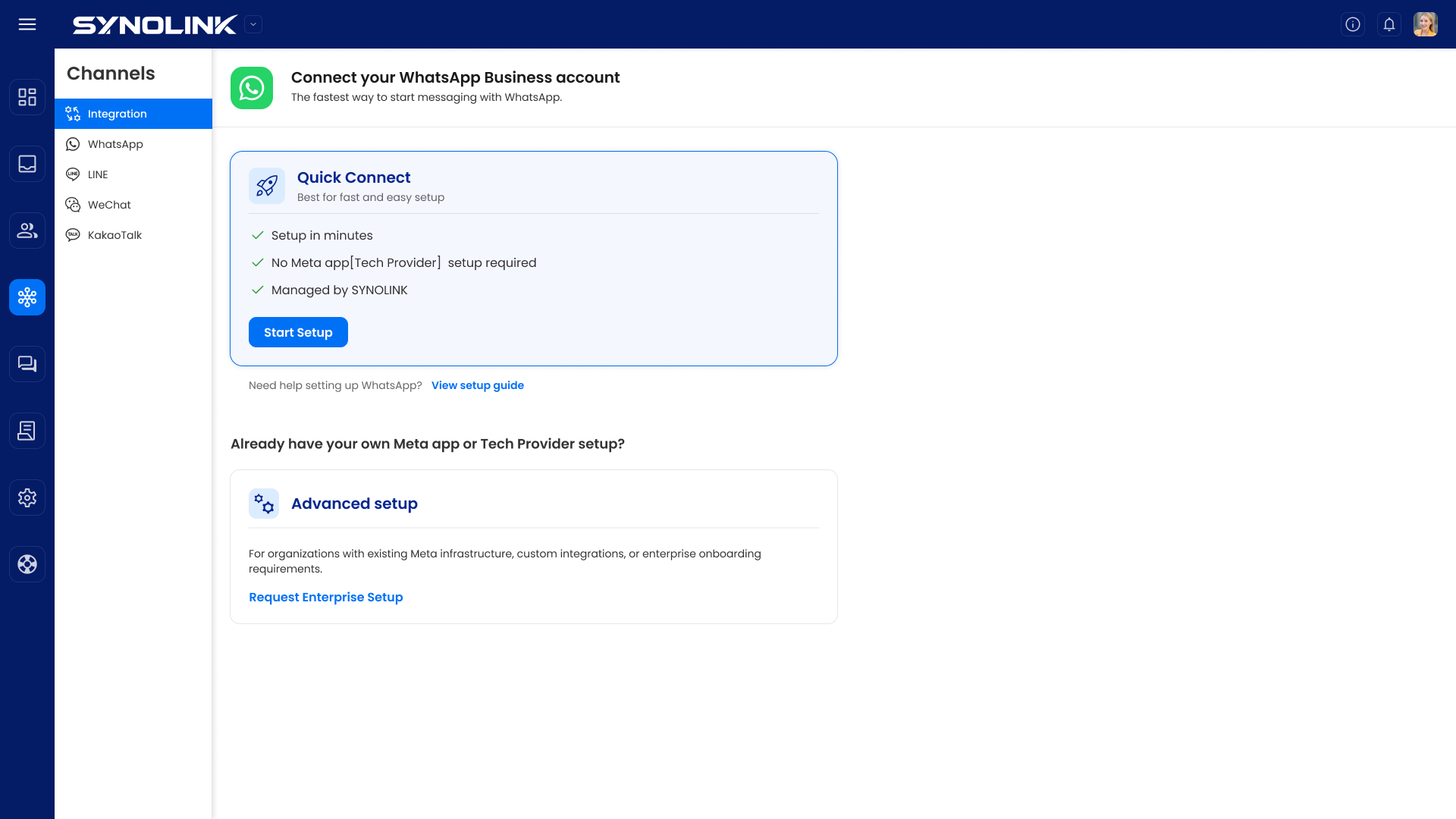
Choose one of the two connection methods:
Section titled “Choose one of the two connection methods:”🚀 Quick Connect
Section titled “🚀 Quick Connect”Best for: First-time WhatsApp connection
Benefits:
- Setup in minutes
- No Meta app or Tech Provider setup required
- Managed by SynoLink
Click [Start setup] button to begin
⚙️ Advanced Setup
Section titled “⚙️ Advanced Setup”For organizations with:
- Existing Meta infrastructure
- Custom integration requirements
- Enterprise onboarding needs
Click [Request enterprise setup →]