

Enter Details
Enter details
Section titled “Enter details”Enter channel details [View Guide]
Section titled “Enter channel details [View Guide]”App ID
Section titled “App ID”- Go to https://mp.weixin.qq.com
- Click on your account name at the bottom left sidebar
- Select 账号详情 (Account Details)
- Scroll down to 注册信息 (Registration Information) section
- Your AppID is displayed there
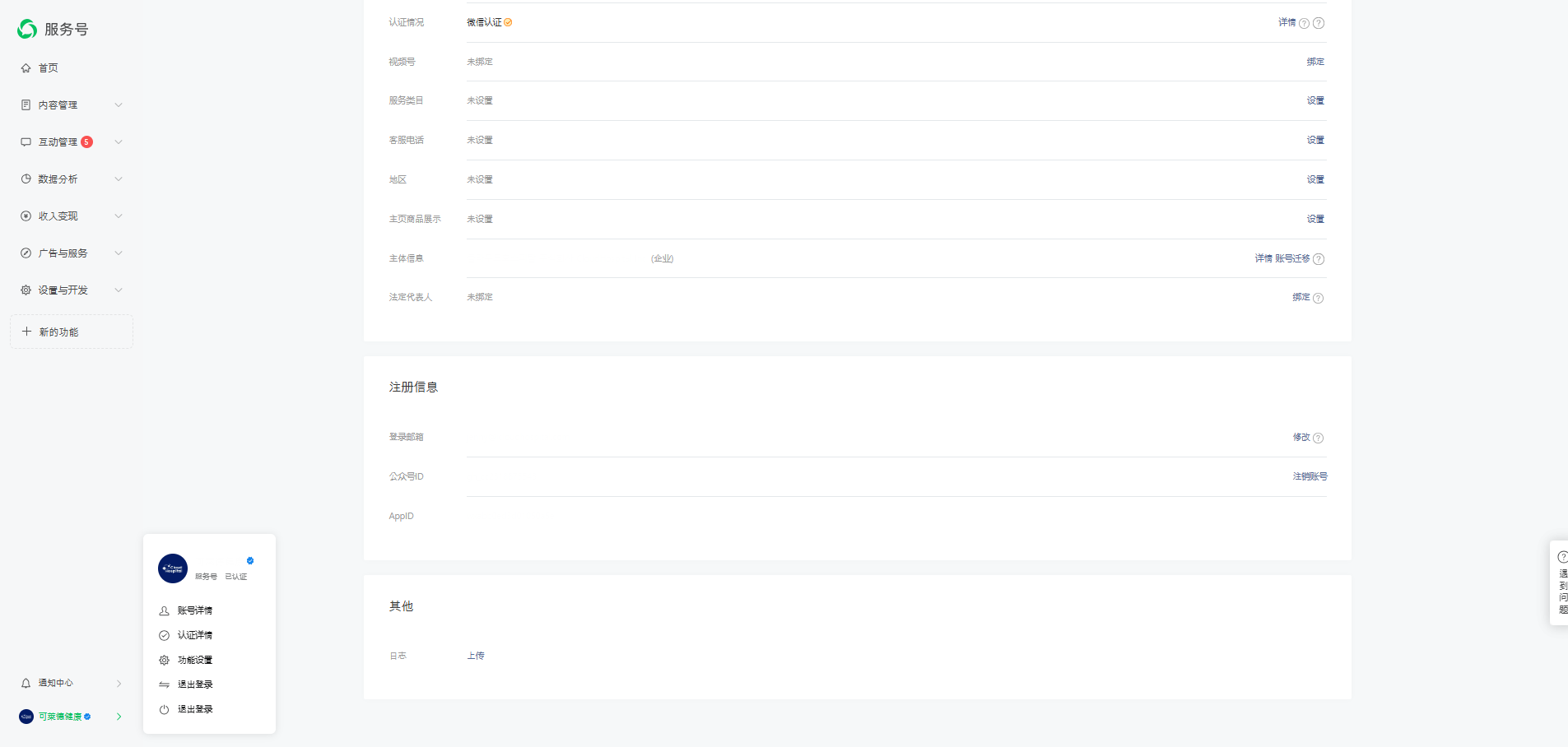
Or alternatively:
Section titled “Or alternatively:”- Go to https://developers.weixin.qq.com/console/
- Select your account → Navigate to 基础信息 (Basic Information) tab
- Your AppID is displayed in the account details section
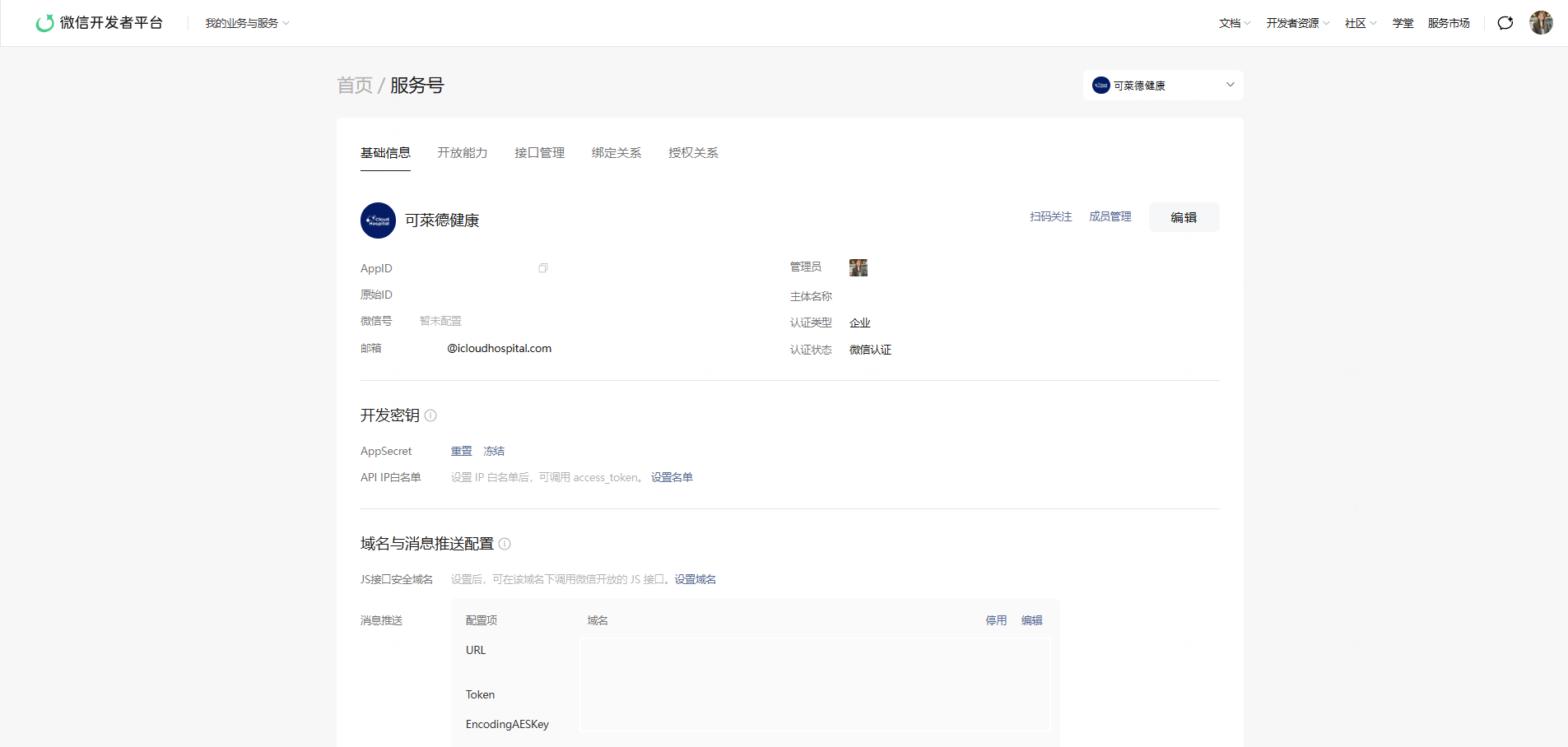
App Name (主体名称)
Section titled “App Name (主体名称)”- In the same 账号详情 (Account Details) page
- Find 名称 field at the top - this is your official account name
Or alternatively:
Section titled “Or alternatively:”- Go to https://developers.weixin.qq.com/console/
- Select your account → Navigate to 基础信息 (Basic Information) tab
- Find 主体名称 field in the account details section
App Secret
Section titled “App Secret”- Go to https://mp.weixin.qq.com
- Go to 设置与开发 (Settings & Development) → 基本配置 (Basic Configuration)
- Find 开发者密码(AppSecret)
- Click 重置 (Reset) to generate a new secret
- Copy the secret immediately (it will only be shown once)
Token & Encoding AES Key
Section titled “Token & Encoding AES Key”These will be configured in the next step (Webhook setup). You can either:
- Use values we provide
- Or create your own (Token: any string, EncodingAESKey: 43-character random string)